Category: Samsung

News, tips and tricks and Reviews on various Samsung Smartphones.

  • 5 Reasons to buy Samsung Galaxy S7 in 2017

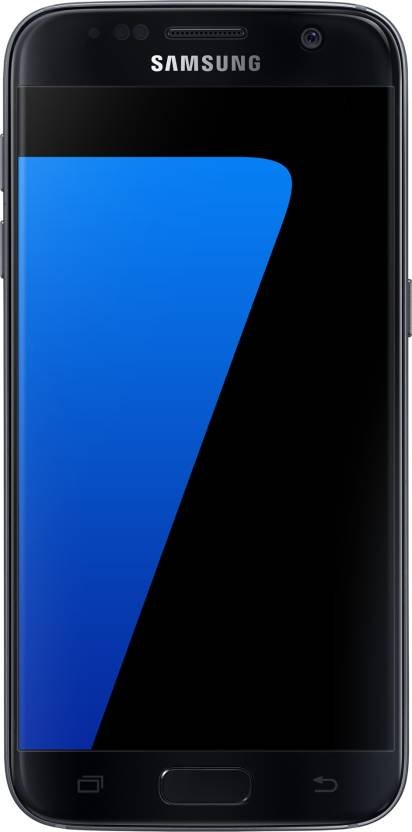
    Samsung Galaxy S7 has launched almost a year and a half ago. The successor to this smartphone, Galaxy S8 is already available in the market. In the high-end price segment, there are many other smartphones available from various manufacturers. So is buying Galaxy S7 in 2017 worth?. It is a kind of subjective to user requirement. So we thought of listing main 5 Reasons to buy Samsung Galaxy S7 in 2017 according to us. We have considered the price of Galaxy S7 as Rs.30,000(In Flipkart sale, the price was Rs.29,999).

    Samsung Galaxy S7 in 2017

    5 Reasons to buy Samsung Galaxy S7 in 2017

    1. One of the best Camera smartphone:

    Galaxy S8 camera performance is slightly better. However, Galaxy S7 camera performance still one of the best in the price segment. It is an all-round performer.  It provides fast autofocus, optical image stabilization, good low light photography etc. Comparing the price difference between Galaxy S8 and Galaxy S7, Galaxy S7 has the edge.

    2. Gorgeous Display screen:

    Galaxy S7 sports 5.1 inch Super AMOLED display panel with QHD (1440 x 2560)  resolution and 577 PPI pixel density. It has Corning Gorilla Glass 4 protection.  Overall it is one of the best displays available in a smartphone even on today.

    3. Water and Dust Resistant

    There are very few phones which are dust and water resistant with IP68 certification. Even today, in the price range of 35k it is very difficult to find a smartphone with IP68 rating.

    4. Good performance:

    In India, Samsung Galaxy S7 is powered by Exynos 8890 SoC with 4GB of RAM and 32GB of internal storage. In some markets, it is available with Snapdragon 820 SoC. Though it is not as fast as current Exynos 8895 or Snapdragon 835, it still gives a good overall performance.

    5. Dual sim/microSD card support

    Once again, there are very few flagship smartphones which support dual sim. Galaxy S7 has a hybrid sim card slot. This means that you can either use 2 sim cards or 1 sim card with a microSD card.

    Apart from these 5 Reasons to buy Samsung Galaxy S7 in 2017, there are many other features which make this smartphone stand apart from rest.  Samsung Pay, Widespread service centers to name few. Never mind offer and a steep discount like we saw on Flipkart big billion day sale, makes this smartphone one of the best option.

  • Samsung Galaxy S8 Launched in India-Top 5 Features

    Couple of days back, Samsung has launched much anticipated its flagship smartphones Galaxy S8 and Galaxy S8 Plus in India. With all new design and large display screen, there are many more features which makes it one of the strong contender for best flagship smartphone of the year 2017. Here are Samsung Galaxy S8 top 5 features according to us.

    You may like to read:

    How to clear cache in Galaxy S8

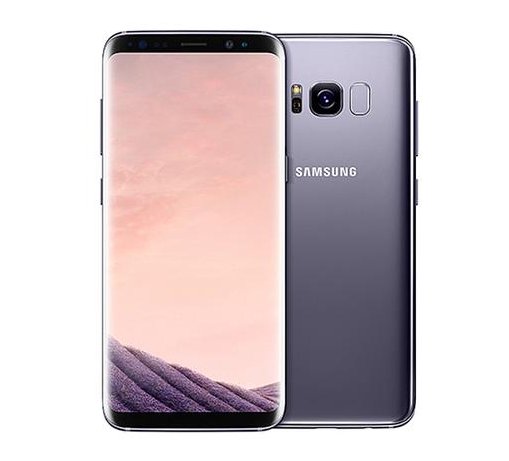
    Samsung Galaxy S8

    Samsung Galaxy S8 Top 5 features

    1.Design of Samsung Galaxy S8

    Biggest change in the Galaxy S8 and Galaxy S8 Plus is it is design. Samsung Galaxy smartphone signature Home button is no longer exists. Fingerprint scanner is moved to the backside of the device. Bezels around the display reduced to accommodate large screen in compact form factor. The front and back is made up glass which has Corning Gorilla Glass 5 for protection. All these makes Galaxy S8 and Galaxy S8 Plus standout from the other smartphone.

    2. Infinity Display Screen

    Samsung Galaxy S8 comes with 5.7 inch and Galaxy S8 Plus has 6.2 inch screen. Both smartphones has resolution of Quad HD+(1440×2960) pixels. High Dynamic Range(HDR) and Snap Window features and aspect ratio of 18.5:9 looks impressive.

    3.Samsung DeX

    Both Samsung Galaxy S8 and Galaxy S8 Plus comes with a optional accessory called Samsung DeX. It is a mobile to PC transition tool which can turn the device into Android based desktop when connected to a monitor.

    4.Dual Pixel technology Camera

    Samsung Galaxy S7 is considered as one of the best camera smartphone. Galaxy S8 and Galaxy S8 Plus with new optics, said to improve further. The front facing camera with facial recognition technology which recognise and track faces to provide focussed selfies.  The new camera app provides wide variety of filters, animated stcikers and stamps.

    5. Performance

    US variant of Galaxy S8 and Galaxy S8 plus comes with Snapdragon 835 SoC(2.35GHz quad-core + 1.7GHz quad-core). The smartphones launched in India are powered by Exynos 8895 SoC with an octa-core processor (2.35GHz quad-core + 1.9GHz quad-core). These 10nm processors is said to be Gigabit LTE and Gigabit Wi-Fi ready with support for download speeds up to 1Gbps.

    These are top 5 features of Samsung Galaxy S8  according to us. There are many more features such as Dual sim support, Samsung pay, Bixby(Virtual Assistance) etc. It comes preloaded with Google assistance as well. We will be making a detailed review on Galaxy S8 in the coming days to know the practical aspects of these features.

  • Blue Coral Samsung Galaxy S7 edge Launched in India

    Samsung India today launched new colour variant of its hugely successful flagship device Galaxy S7 edge. In addition to its existing four colours, the smartphone will now be available in an elegant new Blue Coral colour. The new variants will also come loaded with 15GB free cloud storage.

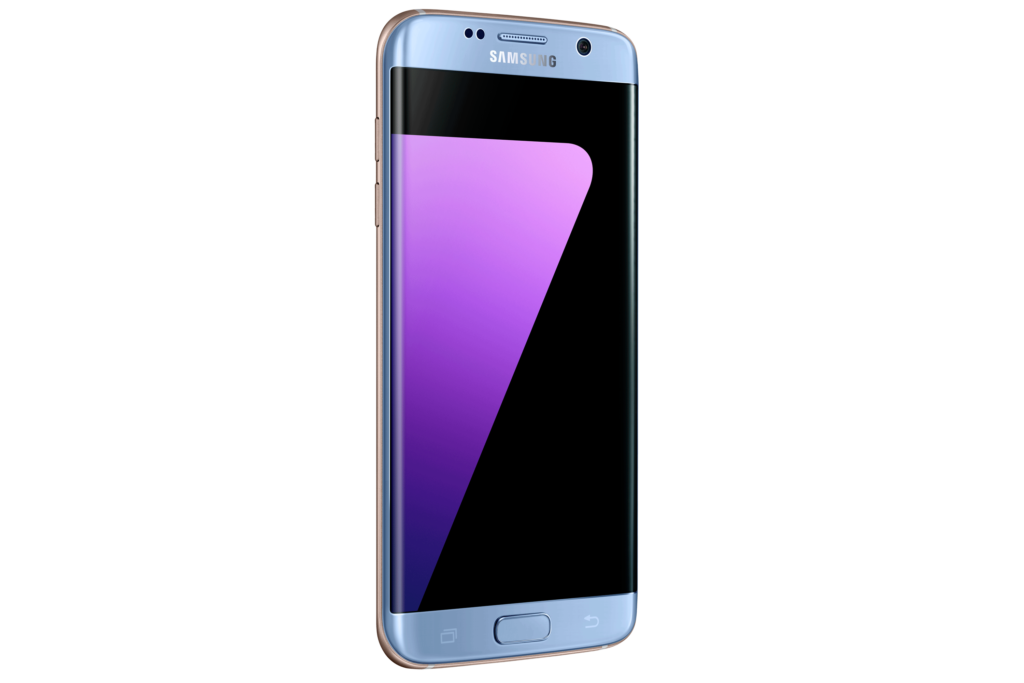
     Galaxy S7 Edge Blue Coral

    The new editions boast all the flagship features of the Galaxy S7 edge that users love, including the enhanced design, brilliant low light camera, IP68 dust and water resistance, wireless charging, and unparalleled connectivity to a galaxy of services, products and experiences.

    “The Galaxy S7 edge has witnessed a tremendous response from Indian consumers. The new colour variant is one of the trendiest must-have colours of the year and will compliment personal styles and offers a touch of sophistication. Coupled with a premium design and impeccable functionality, the new variant will surely add to the phenomenal success of the Galaxy S7 edge in India”, said Mr Manu Sharma, Vice President, Mobile Business, Samsung India

    New Premium Colour

    Consumers these days are looking for a stylish smartphone which helps them stand out of the crowd. Keeping that in mind the Blue Coral colour will take desirability and allure to the next level.

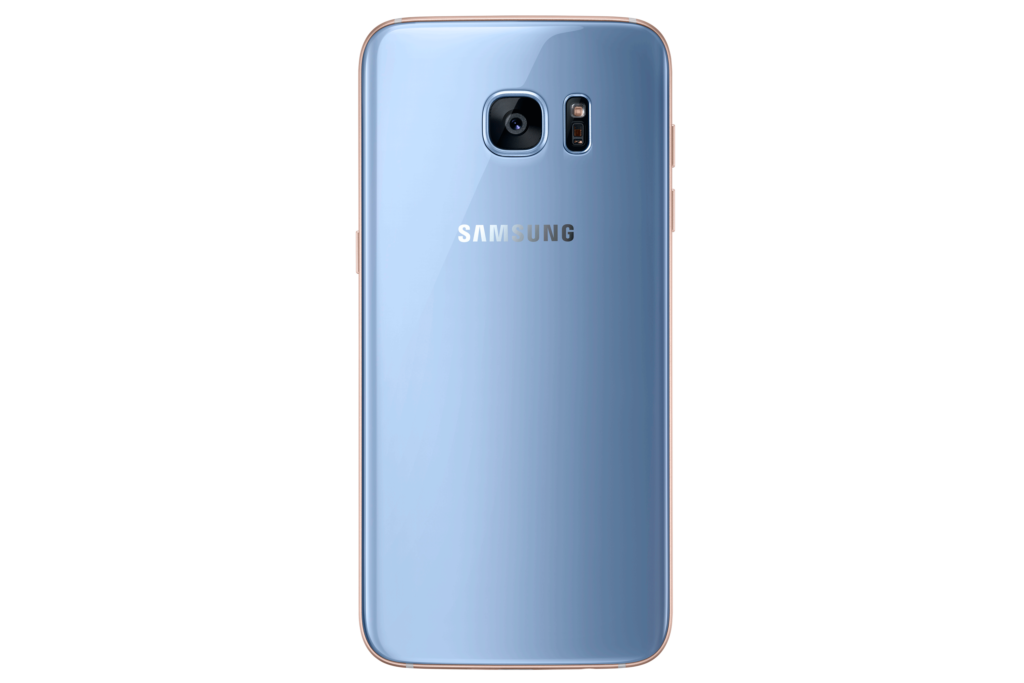
     Galaxy S7 Edge Blue Coral Back

    The new edition follows this year’s colour trends which are less vivid and more tranquil. Inspired by nature, the colour shimmers as if it is illuminated from the inside of the phone’s glass surface. In particular a contrasting gold tone hue is applied to the phone’s metallic frame. The resulting two-toned combination is at once calming and sophisticated.

    Cloud Storage

    Samsung provides 15GB free Samsung Cloud Storage that helps back up important content including photos, videos, files etc. Data can be smoothly accessed across various devices and can be easily restored while changing devices.

    The Samsung cloud storage feature will also be available for existing Galaxy S7 edge users.

    Galaxy S7 edge Availability
    With the launch of this colour Galaxy S7 edge will now be available in five colours – Blue Coral, Black Onyx, Gold Platinum, Silver Titanium and Pink Gold.

    The Samsung Galaxy S7 edge Blue Coral will be available in 32 GB variant from December 15, 2016 at a price of Rs. 50,900. It will be available across Samsung authorized offline and online stores as well as Samsung’s online store – Samsung Shop.

    Source: Samsung India press release.

  • How to take screenshot on Samsung Galaxy J7 Prime

    Samsung Galaxy J7 Prime is one of the popular mid range android smartphone in India. If you have purchased this smartphone and wondering how to take screenshot on Samsung Galaxy J7 Prime, here are the some of the ways to capture screenshot on Galaxy J7 Prime.

    how to take screenshot on Samsung Galaxy J7 Prime

    Recommended Reading

    How to use Samsung Galaxy J series smartphones as Wifi Hotspot

    How to take screenshot on Samsung Galaxy J7 Prime

    There are multiple ways through which you can capture screenshot on Galaxy J7 Prime. In this post, we will cover 2 methods of performing print screen on Galaxy J7 Prime which works out of the box without the need of installing third party apps.  Let’s gets started with  how to take screenshot on Samsung Galaxy J7 Prime.

    Using hardware buttons method to take screenshot on Galaxy J7 Prime

    To capture screenshot on Galaxy J7 Prime using this method, follow the steps given below.

    • Go to the screen on which you want to take screenshot.
    • Now press and hold power and Home key simultaneously for few seconds. To be precise, you need to press Power key fraction of a second faster than volume down key.
    • Screen will flickr which confirms that, screenshot is captured.

    How to access taken screenshot on Galaxy J7 Prime?

    Taken screenshot using the this method will be saved in the Gallery folder.

    Take screenshot on Samsung Galaxy J7 Prime using Google screen search method

    To perform print screen on Galaxy J7 prime using this method, follow the steps given below.

    • First go to the screen on which you want to capture the screenshot.
    • Now long press on the home button.
    • The screenshot is taken.
    • However unlike previous method, here the screenshot is not saved by default.
    • You will get the option to share via email, whatsapp etc or save in the Google Drive.

    There are many other ways to take screenshot on Samsung Galaxy J7 prime. These are the simple ways to capture screenshot on this device according to us. If you know other ways to capture screenshot on Galaxy J7 prime, please share it in the comment section below.
    Video guide on how to take screenshot on Samsung Galaxy J7 Prime

    Here is the video on how to take screenshot on most of the Samsung Galaxy J series smartphones.

  • Samsung Galaxy On Nxt FAQ Tips Tricks Cons

    Galaxy On Nxt is the latest mid range Dual sim Android smartphone from Samsung. The key features of this device includes 5.5inch full HD display screen, 13MP rear and 8MP front camera with f/1.9, all metal unibody design, dedicated microSD card slot and Octa Core SoC with 3GB RAM. It will be available exclusively on flipkart.  Here is the quick Samsung Galaxy On NXT FAQ, Tips Tricks and Cons.

    Samsung Galaxy On Nxt

    Image source: Samsung press release.

    Samsung Galaxy On Nxt FAQ Tips Tricks Cons

    What are the different colour variants of Galaxy On Nxt available?

    The new Galaxy On Nxt will be available in 2 colour variants namely Gold and Black.

    What is the price of Galaxy On Nxt in India?

    Samsung Galaxy On Nxt price in India is Rs.18,490. It will available exclusive via flipkart starting 24th October. Link for the product listing is provided here.

    What size sim cards Galaxy On Nxt accepts? How to insert 2 sim cards into this device.

    This device comes with 2 trays. One for SIM 1 and another for SIM 2 and microSD card. It accepts 2 nano sim cards. Using the sim ejector pin, open the first tray(left side from the top 1st one), insert sim 1. Similarly open the second tray and insert sim 2. If you want you can add a microSD card upto 256GB.

    Does it has dedicated microSD card slot?

    Yes.

    What are the specifications of Galaxy On Nxt?

    Specification summary:

    • 1.6GHz Octa core Exynos 7870 Soc with Mali T830GPU.
    • 3GB of RAM and 32GB of internal storage.
    • Support for microSD card upto 256GB.
    • 5.5 inch Full HD IPS LCD display screen.
    • 4G/VoLTE support.
    • 13MP primary camera and 8MP secondary camera with f/1.9.
    • 3300 mAh battery.
    • Fingerprint scanner.

    What are the difference between Galaxy J7 Prime and Galaxy On Nxt?

    When we compare Galaxy J7 Prime and Galaxy On Nxt, in Terms of hardware specifications, both devices are almost identical. Only change we observed is internal storage. Galaxy J7 Prime has 16GB of storage whereas Galaxy On Nxt has 32GB.

    How to take screenshot on Galaxy On Nxt?

    The simplest way to take screenshot on Galaxy On Nxt is using the hardware keys.  Press and hold power and home key simultaneously for few seconds. The screenshot will be captured. Taken screenshot can be accessed from Gallery.

    How to download PC suite for Samsung Galaxy On Nxt?

    Galaxy On Nxt is compatible with Smart switch PC suite. You can read more on that here.

    How to use Galaxy On Nxt as modem?

    This device supports WiFi hotspot, USB tethering and Bluetooth tethering. You can use any of this method. You can refer detailed instruction here.

    What are the pros and cons of Galaxy Nxt?

    We have not got the opportunity to do in depth review of Galaxy On Nxt. However, based on the specification, we felt these are the pros and cons of Galaxy On Nxt. We will be posting detailed pros and cons of Galaxy on Nxt in the coming days.

    Pros of Galaxy On Nxt

    • Proper dual sim card slot with dedicated microSD card slot.
    • Unibody design.
    • 4G/VoLTE support.

    Cons of Galaxy On Nxt

    • No ambient light sensor and compass sensor.
    • No fast charger in the box.
    • Non user removable battery.