Author: Aniruddh

  • Top 5 Features of Letv Le 1S

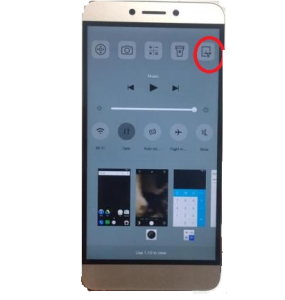
    LeEco(previously known as LeTv) has recently entered into Indian smartphone market with the launch of Le Max and Le 1s. LeEco Le Max is the flagship smartphone and LeEco Le 1s is the midrange smartphone.

    Letv Le 1S  or LeEco Le 1s price in India is Rs.10,999 and will be available exclusively via Flipkart  flash sale. The first flash sale starts from 2nd Feb. For registering for the flash sale you can visit here. At this price point, this smartphone has attracted huge response. It will compete with the likes of Coolpad Note 3, Moto G3, Honor 5X and Lenovo K4 Note.

    LeEco Le 1S

    Letv Le 1S offers some unique features which are rare to be seen in this price segment. So here is the list of Top 5 features of LeEco Le 1s. This is not an review. We will be doing indepth review on Letv Le 1S in the coming days.

    Top 5 Features of Letv Le 1S

    1. Design: There are multiple good looking smartphone in the budget Android smartphone segment. But Letv Le 1S  stands out with its full-metal unibody design which according to company made from aircraft-grade aluminium. This gives a premium feel to the device. Though it sports 5.5 inch screen, it feels comfortable to hold and operate. The dimensions of the device are 74.2×151.1×7.6 mm and weighs 169 g.
    2.  Fingerprint scanner: There are couple of smartphones with fingerprint scanner in this price segment. The fingerprint scanner on the Le 1s is claimed to be the world’s first with a mirrored surface. According to company, scanner on the Le 1s is scratchproof and has an accuracy of 99.3 percent with an unlock speed of 0.15 seconds.
    3.  4K Video Recording:  This is another feature which is very rare to be seen in budget smartphones. It can record 4K videos at 4K recording at 30fps and 720p at 120 fps. It has 13-megapixel camera with LED flash and phase-detection autofocus (PDAF) which can focus an object in just 0.09 seconds. There is also a 5-megapixel front-facing camera which can also record videos at 1080p.
    4. USB Type-C connector and IR Blaster: As of now there are very few smartphones feature USB Type C connector(Nexus 5X, Nexus 6P, One Plus 2). LeEco Le 1s features USB Type-C connector with fast charging. As per company statement, 5 mins of charge can provide upto 3.5 hours of talk time on this device. Inclusion of IR Blaster increases its chances of earning some extra scores with its competetor.
    5. Narrow Bezel Display screen: We have seen budget smartphones with 5.5 inch screen. But  where LeEco Le 1s stands out is its display with ultra-thin bezel. It offers an impressive 80.3 percent screen-to-body ratio(iPhone 6s offers just 68.2 percent) .

    Apart from these features, LeEco Le 1s has impressive specification sheet. It is powered by 2.2 GHz Helio X10 Turbo MTK 6795T Octa Core Processor with 3GB of RAM and Power VR G6200 GPU. The device has inbuilt storage of 32GB. It supports Dual sim (Micro SIM and Nano SIM) with 4G LTE connectivity. The sensors in the device are Compass, Magnetometer, Gravity Sensor, Proximity Sensor, Light Sensor, Infrared Sensor, Fingerprint Sensor.

  • Asus Zenfone Selfie Review-Pros and Cons

    Asus Zenfone Selfie is aimed at selfie lovers with 13MP front facing camera with  88-degree wide-angle f/2.2 lens, dual-LED dual-tone flash and laser autofocus. The device is available in two variants. One 3GB RAM which is priced at Rs.16,999 and the 2GB RAM variant is priced at Rs.14,999. The review unit which recieved is Asus Zenfone Selfie 3GB RAM variant.

    The main USP of Asus Zenfone Selfie is its front facing camera. It has 13MP front facing camera with  with 88-degree wide-angle f/2.2 lens, contrast detection autofocus, dual-LED dual-tone flash. The front facing camera can record 1080p videos at 30fps. The rear camera has 13MP sensor with an  f/2.0 aperture and the laser autofocus system. Both front and rear camera features 5P Largan lenses, Toshiba sensors and blue glass filters.

    Recommended Reading:

    How to take screenshot on Asus Zenfone.

    How to use Asus Zenfone as modem.

    How to download Asus PC suite.

    Asus Zenfone Selfie 3GB RAM

    The camera app on Asus Zenfone Selfie is identical to the one we have seen on Zenfone Laser. It provides lot of options such as automatic mode, a detailed manual mode, HDR, panorama, smart remove, slow motion, GIF animation and time lapse. The front camera too has all these features. Apart from this, for front camera selfie panorama option also available. The pictures taken on outdoor came out very well. It provides great level of details and balanced colours. The indoor pictures which we have taken were came out with lot of noise but has sufficient details.  It is same for both the cameras.

    Asus Zenfone Selfie is powered by 64-bit Qualcomm Snapdragon 615 SoC(quad-core 1.5 GHz Cortex-A53 & quad-core 1.1 GHz Cortex-A53 CPU) with 3GB of RAM and Adreno 405 GPU. The internal storage of the device is 32GB and supports microSD card upto 64GB. The device sports 5.5 inch  IPS display with 1920 x 1080 Pixels resolution. The display has 10 Finger Capacitive Touchscreen with Anti-fingerprint Technology and Corning Gorilla 4 Glass. Overall in general usage, device performance is decent.  Let us break the Asus Selfie review into pros and cons.

    Advantages and Disadvantage of Asus Zenfone Selfie

    Pros of Asus Zenfone Selfie

    • Good Selfie camera with lot of tweak.
    • Quick and accurate autofocus on primary camera.
    • Good build quality.
    • Good Display screen.
    • User friendly UI and lot of customisation option.
    • Call quality is excellant. Voice sounds crisp and loud.

    Cons of Asus Zenfone Selfie

    • Camera performance on indoor and in low light is average.
    • At times phone lags a bit especially when processing photos.
    • Average battery life.

    Asus Zenfone Selfie Specification

    • 64-bit Qualcomm Snapdragon 615 SoC with 3GB RAM.
    • 32GB internal storage and support for microSD card.
    • 5.5 inch  IPS display with 1920 x 1080 Pixels resolution.
    • 13MP primary camera and 13MP front facing camera.
    • Li-Polymer, 3000 mAh battery.

    Asus Zenfone Selfie Camera sample video

    This is the video taken in Lalbagh Flower show. It captured in full HD resolution without optical image stabilisation. With OIS enabled, we can record videos at only 720p.

  • Lenovo Vibe X3 With Snapdragon 808 Soc, 21MP camera launched in India

    Lenovo has launched Vibe X3 smartphone in India. The sale for the device will start from 28th January  2PM via Amazon.in.  The Lenovo Vibe X3 price in India is Rs.19,999. As of now only Matte White option available for open sale.

    Lenovo Vibe X3 sports 5.5 inch IPS display screen with 1080 x 1920 pixel resolution. Lenovo claims it has unique display that offers 100 percent NTSC colour reproduction,1500:1 contrast ratio and features 178 degree wide viewing angle. Lenovo Vibe X3 has hybrid dual-SIM slots, which means users can use either two SIM cards or a single SIM card alongside a microSD card.

    Lenovo Vibe X3 Dual sim

    Lenovo Vibe X3 is powered by hexa-core Qualcomm Snapdragon 808 processor(dual core A57 at 1.8GHz + quad-core A53 at 1.4GHz) paired with 3GB of DDR3 RAM and Adreno 418 GPU. The onboard storage is 32GB and supports microSD card upto 128GB.  It packs 3500mAh battery and offers a fingerprint sensor at the rear panel.

    Lenovo Vibe X3  houses  21-megapixel rear camera with Sony IMX230 sensor, LED flash, PDAF (phase detection autofocus), 6P Lens, f/2.0 aperture, and 4K video recording support. There is also a 8-megapixel front facing camera. Vibe X3 offers has Vibe Enhancement features such as the Pro Mode, Smart Assist, Slow Motion, and Nightscape.

    The connectivity features of Lenovo Vibe X3 are 4G LTE, Bluetooth, Wi-Fi, GPS, NFC, USB OTG and Micro USB. It runs on Android 5.1 Lollipop with VIBE UI on top. The smartphone comes with two front-facing stereo speakers powered by Dolby Atmos tech. It uses Wolfson-powered audio technology for calls, along with Hi-Fi Lenovo Sound with HD audio. Lenovo has bundled some of the gesture controls such as tap-to-wake, flip to sleep etc.

    Lenovo Vibe X3 supports TheatreMax,which enables a larger viewing experience by using an AntVR headset. Customer who need AntVR headset can buy it by paying additional Rs 1,299. One more additional accessory is Skullcandy Ando earphones which is also available for purchase at Rs 1,299. Coming to design aspect, Vibe X3 is made up of high quality thermosetting synthetic resin build at the back. The device measures 9.3mm at the thickest and 3.4mm on the sides.  The actual performance we will know, once we complete the Lenovo Vibe X3 review.

    Lenovo Vibe X3 Specification

    • 5.5 inch IPS display screen with 1080 x 1920 pixel resolution.
    • hexa-core Qualcomm Snapdragon 808 SoC with 3GB of DDR3 RAM and Adreno 418 GPU.
    • 32GB internal storage and support for microSD card upto 128GB GB.
    • Hybrid Dual sim Slot.
    • 21MP primary camera and 8MP front facing camera.
    • 4G LTE, Bluetooth, Wi-Fi, GPS, NFC, USB OTG and Micro USB.
    • 500mAh battery and fingerprint scanner.
  • Asus Zenfone Zoom with 3X Optical Zoom and 128GB storage

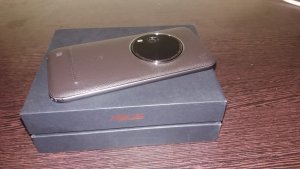
    Almost an year after it first announced in January 2015, Asus Zenfone Zoom finally launched in India. The main selling point of this Asus smartphone is its 3x optical zoom. As a bundled offer, customer will get tripod and ZenFlash along with this smartphone with discounted additional price.  Asus Zenfone Zoom price in India is Rs 37,999 and for the tripod and ZenFlash bundled offer price is  Rs 39,999.

    Asus-ZenFone Zoom Specification

    The Asus Zenfone Zoom comes with 13MP rear camera and a 5MP front camera. The key feature of the primary camera includes 3x optical zoom, 10-element Hoya lens configuration which uses a dual prism periscope module design to capture more light, 4 stop optical image stabilization which ensures stutter free handheld shots even for 1 sec exposures.  The camera also  has all the good features we have seen on other Zenfone such as laser auto focus, manual shooting modes,  super resolution etc. Apart from this, Zenfone Zoom supports 32 second exposure mode. But do remember that, this feature can only be used along with tripod.

    Recommended Reading:

    How to take screenshot on Asus Zenfones

    The new Asus Zenfone Zoom comes with Intel Atom Z3590 quad core processor which is clocked at 2.5GHz couples with 4GB of RAM and 128GB of internal storage. The device supports microSD card for additional storage. Unfortunately, Zenfone Zoom supports only one sim card.  The connectivity features of the device are Wi-Fi 802.11a/b/g/n/ac, Bluetooth 4.0, NFC, 4G LTE (Cat 4) and microUSB 2.0. It runs on Android Lollipop with ZenUI on top.

    Asus Zenfone Zoom sports 5.5 inch full HD display with Corning Gorilla Glass 4 protection. The display offers good viewing angles and  good levels of brightness. The device is made up with aerospace-grade alloy which provides a solid-looking  construction.  Zenfone Zoom houses  3000mAh Li-polymer non removable battery.  It comes with 18W power adapter. According to company, this can charge the battery from 0 to 60 percent in just 39mins.

    These are only the first impression on Asus Zenfone Zoom. This is done based more by looking at the spec sheet. However, in the coming days we will be making an indepth review on Asus Zenfone Zoom.

    Asus Zenfone Zoom Specification

    • 5.5-inch (1920 x 1080 pixels) display with Corning Gorilla Glass 4 protection.
    • 2.5GHz quad-core Intel Atom Z3590 processor with PowerVR G6430 GPU.
    • 4GB LPDDR3 RAM, 128GB internal memory, expandable memory up to 128GB via micro SD.
    • Android 5.0 (Lollipop) with ZenUI.
    • 13MP rear camera with OIS, 3X optical zoom, f/2.7-4.8 aperture, Laser AF, Real Tone flash
      5MP front-facing camera.
    • Dimensions: 158.9 x 78.84 x 5~11.95 mm; Weight 185g.
    • 4G LTE / 3G HSPA+, WiFi 802.11 a/b/g/n/ac, Bluetooth 4.0, GPS, NFC.
    • 3000mAh battery with ASUS BoostMaster fast charging.

    Image source: Maxabout.com.

  • Moto G Turbo Android 6.0 Marshmallow new Features and Tips

    Motorola has already started rolling out Android 6.0 Marshmallow update to its Moto G Turbo smartphone. The update size is aroung 500MB which comes with January security updates. Below are the few useful new features of Android 6.0 on Moto G Turbo.

    Moto G Turbo Dual sim

    Motorola Moto G Turbo Android 6.0 Marshmallow update  new Features

    Recommended reading:

    Moto G Turbo Review-Pros and Cons

    How to take screenshot on Moto G Turbo

    Android 6.0 improves overall smartphone performance. It includes better battery life, new app permissions etc.  Below are the summary of new features of Android 6.0 on Moto G Turbo.

    App Standby: This features provides an option to reduce the battery drain of Moto G turbo by moving rarely used apps to reduced activity state. You can customise on which apps are applicable to App standby. You can follow the steps for the same.

    • wipe the status bar down with two fingers and tap the gear icon at the top right corner of your screen.
    • Once in the Settings menu, scroll down and select Battery.
    • Tap the menu icon (3 vertical dots) at the top right corner of the screen and select Battery optimization. The greyed out list of apps under “Not optimized” cannot be added to App Standby.
    • Select “All apps” from the drop down list, then tap the app you want to adjust:
      • Select “Optimize” to include the app in App Standby to optimize battery life when it’s not in use.
      • Select “Don’t optimize” to remove the app from App Standby. Apps listed as “Not optimized” may keep running in the background and may drain your battery more quickly.

    App permissions: With Marshmallow update, you can control what you want to share with the apps. With this new feature apps designed for Marshmallow only ask for permissions at the time it’s needed to use a feature, instead of all at once when you install the app. You can change permissions granted to apps at any time from the settings menu, or you can look at permissions by type and see which apps have that permission granted.

    How to change App permission on Moto G Turbo with Android 6.0

    • Swipe the status bar down with two fingers and tap the gear icon at the top right corner of your screen.
    • Once in the Settings menu, scroll down and tap Apps, then select the app you want to adjust.
    • Go to Permissions in the app menu and tap the switch of the permission you want to grant or revoke for that app.

    To modify permissions by type:

    • Swipe the status bar down with two fingers and tap the gear icon at the top right corner of your screen.
    • Once in the Settings menu, scroll down and tap Apps, then tap the gear icon at the top right corner of the Apps screen.
    • Go to App permissions and select the type of permission you want to adjust from the list.
      Tap the switch for the app you want to grant/revoke that permission.

    Expandable Storage: Moto G Turbo supports USB OTG and microSD card. However, option to  move apps to microSD card on Moto G Turbo was limited.  But with Android 6.0 Marshmallow update, you can set microSD card as internal storage. Once done, you can directly install apps to microSD card or move apps to microSD card. So here is the guide to use microSD card as internal storage in Moto G Turbo after upgrading to Android 6.0.

    • Back up and preserve any data you have on the card, as formatting for internal storage will erase it.
    • Swipe the status bar down with two fingers and tap the gear icon at the top right corner of your screen.
    • Once in the Settings menu, scroll down and tap Storage & USB, then select your portable SD card from the list.
    • Tap the menu icon (3 vertical dots) at the top right corner of the SD card screen and select Settings.
    • Select Format as internal and follow the steps in the tutorial.

    Note: When the SD card is changed as internal storage, it will get formatted and encrypted to protect the  information. One this is done, you cannot remove and transferred stored data to other device. If you want to use the SD card as portable storage or in another device after adopted as internal storage, then you need to format it. When doing so, please remember that formatting erases all the data stored in your SD card.

    Direct Share: This is another useful new feature of Android 6.0. It enables sharing something directly to a contact or conversation within an app. Tap the share icon in the app and at the top of the share panel, a list of contacts with app icons next to their names will pop-up. Then just pick the contact and hit send.

    These few new features, we think most useful for the users. Other features like Now on Tap, new ways of controling volume, Do not disturb etc are also useful.

    How to update Moto G Turbo to Android 6.0 Marshmallow

    You can update your Moto G Turbo to Android 6.0 through OTA update. It is highly recommended to connect to WiFi network for uninterupted download.It is also recommended to update the phone while its battery is atleast 50%. Below is the steps to update your Moto G Turbo to Android 6.0 Marshmallow.

    If you already got notification for the update follow the steps given below.

    • Select “Yes, I’m in”.
    • After the software is downloaded, select “Install now”.
    • After the software is installed, your phone will re-start automatically.
    • Your phone is now updated to Android 6.0.

    If you have not received a notification message for this update, follow the steps below to manually update Moto G Turbo.

    • Select the Settings icon in the apps menu.
    • Select “About phone”.
    • Select “System updates”.
    • Select “Yes, I’m in”. After the software is downloaded, select “Install now”.
    • After the software is installed, your phone will re-start automatically.
    • Your phone is now updated to Android 6.0.